23 posts tagged with "release"

View All Tags

Serverless Canister Calls in TypeScript

Β· One min read

Hey πŸ‘‹

If you like working with ic-js in the frontend...
Say hello to serverless canister functions in TypeScript ⚑️

Write backend logic using the same TypeScript you already love β€” now with:

  • πŸ’« Built-in canister clients for the Internet Computer (ICP, ICRC, CMC, NNS, SNS...)
  • βš™οΈ Full type-safety
  • πŸ”Œ Zero agent setup
  • 🧠 Caller identity handled automatically
  • 🍱 ICP & ICRC transfers from serverless hooks

No Rust required. No backend headaches.


πŸ“š Documentation​

Want to go straight to the point? Checkout the πŸ‘‰ references


Example​

Transfer ICP directly from a Satellite serverless function:

import { IcpLedgerCanister } from "@junobuild/functions/canisters/ledger/icp";

export const onExecute = async () => {
const ledger = new IcpLedgerCanister();

const result = await ledger.transfer({
args: {
to: "destination-account-identifier",
amount: { e8s: 100_000_000n }, // 1 ICP
fee: { e8s: 10_000n },
memo: 0n
}
});
};

And yes - this works inside datastore hooks like onSetDoc and assertSetDoc, fully atomic.

Browse the full working example πŸ‘‰ Making Canister Calls in TypeScript

Cool cool cool?

To infinity and beyond
David
Custom Domains Support Upgrade

Β· 2 min read

Hey πŸ‘‹

A new release was shipped with two sweet improvements to the Console.

🌐 Custom Domains New API​

The hosting features for registering or administrating custom domains have been migrated to the API from the DFINITY Boundary Nodes team.

This migration makes managing domains:

  • More reliable
  • Significantly faster
  • Future-proof

Massive kudos to the team delivering this capability - awesome work πŸ’ͺ

✨ UI Improvements​

Alongside the domain upgrade, we shipped a few visual refinements:

Stronger contrast on cards and buttons for a cleaner, more readable interface (amazing what you can achieve by nudging brightness πŸ˜„)

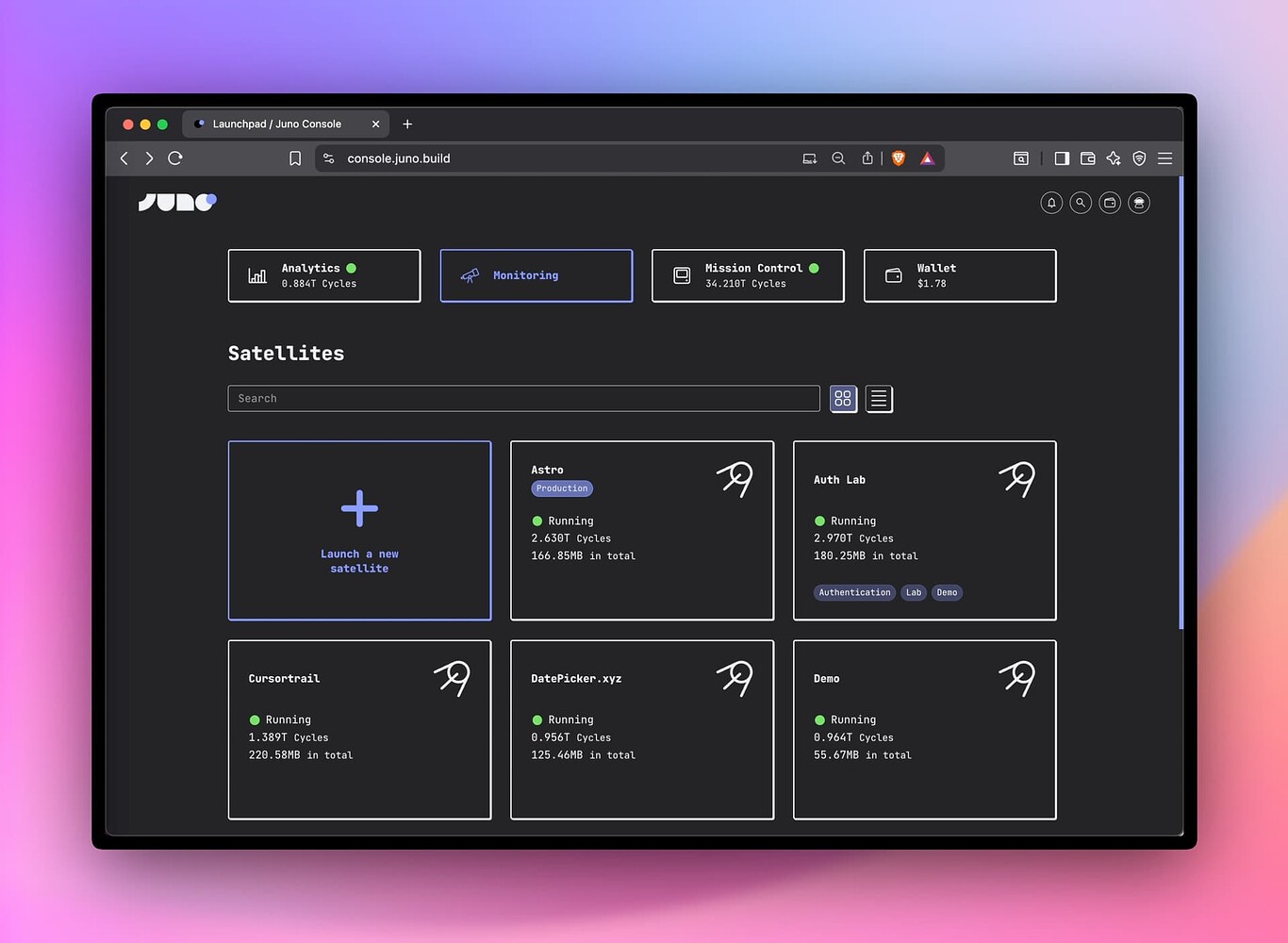
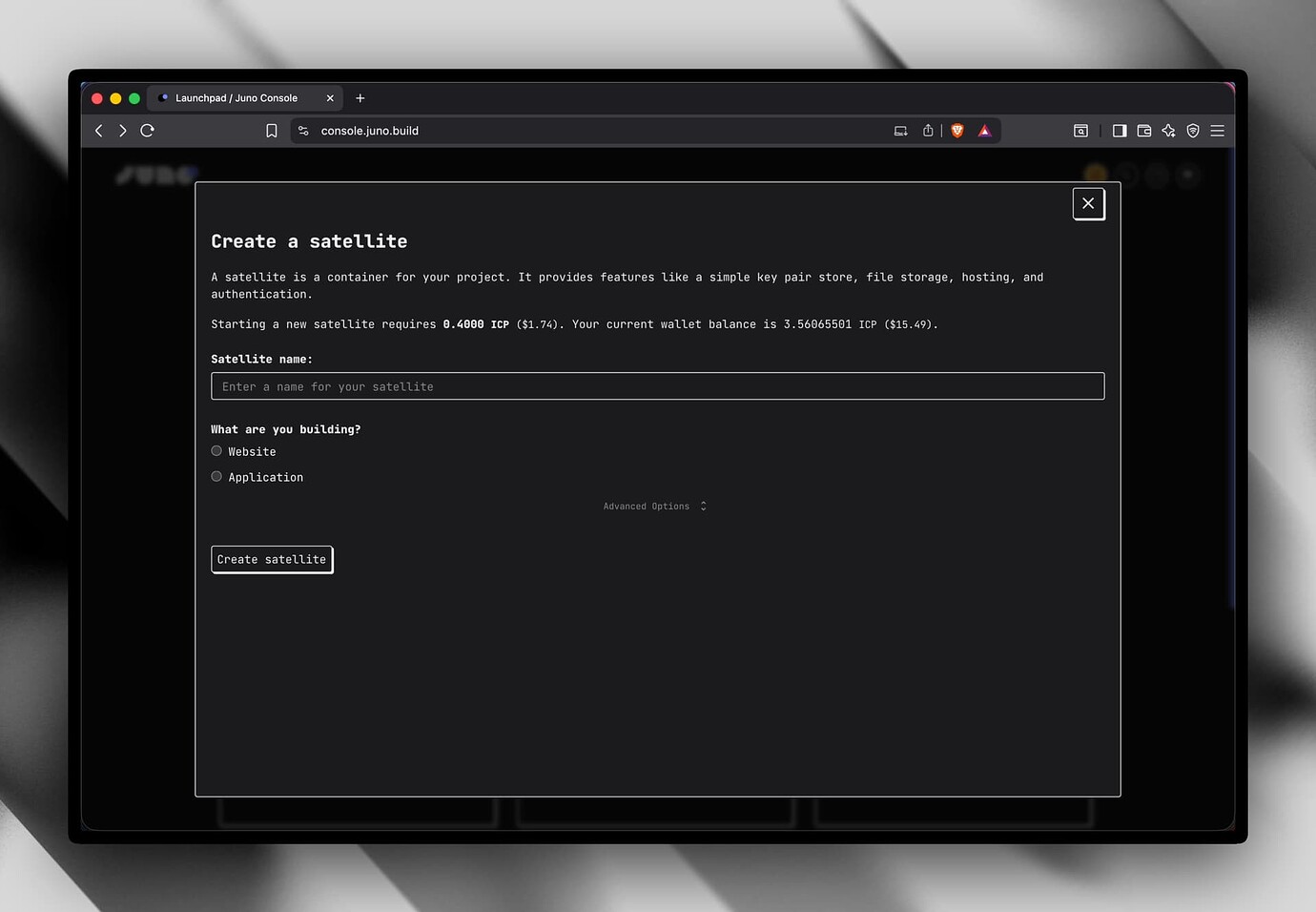
The Launchpad has been slightly redesigned: "Create a new satellite" is now a primary button, bringing more clarity and guidance.

A screenshot of the launchpad that showcases the new contrast and actions that have been moved

Another screenshots from the authentication setup which displays the new tabs design

To infinity and beyond
David

New (kind of) breadcrumbs nav, who dis?

Β· 2 min read

A screenshot of the new Console UI with navigation on the Datastore page

I tagged a new release as I deployed a new version of the Console UI to mainnet.

Aside from the updated navigation, which now displays the page title within breadcrumb-style navigation, and a few minor fixes, not much has changed feature-wise.

The biggest change in the frontend's codebase, which explains why so many files were touched, is a refactor to adopt the new pattern I’ve been using for DID declarations.

Instead of relying on auto-imported separate types, I now prefer grouping factories in a single module, exporting them from there, and importing the types through a suffixed module DID alias.

You can check out the pattern in Juno's frontend codebase or in the ic-client JS library. If you're curious about it, let me know.

It’s a small structural shift that makes the code much cleaner and more readable.

Finally, there are a few new E2E tests added in this repo and in the CLI.

To infinity and beyond 🍞✨
David

Offline Snapshots with the CLI

Β· One min read

Hi πŸ‘‹

Here is a small but handy update for your toolbox: you can now download and upload snapshots offline with the Juno CLI. 🧰

That means you can:

  • Keep a local copy of your module’s state
  • Stash it somewhere safe, just in case πŸ˜…
  • Restore it when needed
  • Or even move it between Satellites
juno snapshot download --target satellite
juno snapshot upload --target satellite --dir .snapshots/0x00000060101

Build & Run Scripts with β€œjuno run”

Β· 2 min read

Say hello to juno run πŸ‘‹

Build custom scripts that already know your env, profile & config.
Write them in JS/TS.
Run with the CLI. ⚑️

πŸ’ on top? Works out of the box in GitHub Actions!

For example:

import { defineRun } from "@junobuild/config";

export const onRun = defineRun(({ mode, profile }) => ({
run: async ({ satelliteId, identity }) => {
console.log("Running task with:", {
mode,
profile,
satelliteId: satelliteId.toText(),
whoami: identity.getPrincipal().toText()
});
}
}));

Run it with:

juno run --src ./my-task.ts

Now, let’s suppose you want to fetch a document from your Satellite’s Datastore (β€œfrom your canister’s little DB”) and export it to a file:

import { getDoc } from "@junobuild/core";
import { defineRun } from "@junobuild/config";
import { jsonReplacer } from "@dfinity/utils";
import { writeFile } from "node:fs/promises";

export const onRun = defineRun(({ mode }) => ({
run: async (context) => {
const key = mode === "staging" ? "123" : "456";

const doc = await getDoc({
collection: "demo",
key,
satellite: context
});

await writeFile("./mydoc.json", JSON.stringify(doc, jsonReplacer, 2));
}
}));

Fancy ✨

And since it’s TS/JS, you can obviously use any libraries to perform admin tasks as well.

import { defineRun } from "@junobuild/config";
import { IcrcLedgerCanister } from "@dfinity/ledger-icrc";
import { createAgent } from "@dfinity/utils";

export const onRun = defineRun(({ mode }) => ({
run: async ({ identity, container: host }) => {
if (mode !== "development") {
throw new Error("Only for fun!");
}

const agent = await createAgent({
identity,
host
});

const { metadata } = IcrcLedgerCanister.create({
agent,
canisterId: MY_LEDGER_CANISTER_ID
});

const data = await metadata({});

console.log(data);
}
}));

Coolio?

I’ll demo it next Monday in Juno Live. πŸŽ₯ https://youtube.com/@junobuild

Happy week-end β˜€οΈ

Labels & Quick Access in Console

Β· One min read

Hi πŸ‘‹

A new release is out β€” v0.0.56 πŸš€

This release focuses on frontend changes in the Console:

  • You can now label your Satellites with environment flags and tags. These appear in the launchpad, switcher, and overview. On the launchpad, they can also be used as search filters to quickly find the right Satellite.
  • A new navigation feature – called β€œSpotlight” or β€œQuick Access” – lets you jump anywhere in the Console or run actions (such as changing the theme) in seconds. Open it with the search icon in the navbar or by pressing Ctrl/Cmd + K.

Hopefully these make building with the Console a little more fun (and faster)!

Console label & quick access UI

Spotlight / Quick Access UI

Faster Deploys & Precompression

Β· One min read

Hi πŸ‘‹

A new release is out β€” v0.0.54 πŸš€

Here are a few highlights:

⚑️ Faster deploys with proposals batching
πŸ“¦ Smarter precompression (optional Brotli + replace mode)
πŸ”€ Redirects fixed
✨ Shinier experience when deploying in your terminal

Checkout the release notes for details πŸ‘‰ Release v0.0.54 Β· junobuild/juno

Example of the new configuration option precompress:

export default defineConfig({
satellite: {
ids: {
production: "qsgjb-riaaa-aaaaa-aaaga-cai"
},
source: "dist",
precompress: {
algorithm: "brotli",
pattern: "**/*.+(css|js|mjs|html)",
mode: "replace"
}
}
});

Freezing, Gzip, & Console Enhancements

Β· 2 min read

Hi πŸ‘‹

A new release is out β€” v0.0.52 πŸš€

Here are a few highlights:
🧊 Longer default freezing thresholds
βœ… Gzipped HTML
πŸ” Allowed Callers
πŸ›  CLI Improvements
πŸ–₯ Polished Console UI

Checkout the release notes for details πŸ‘‰ Release v0.0.52 Β· junobuild/juno

Let me know if anything looks fishy β€” and happy coding! πŸ‘¨β€πŸ”§


πŸ–₯️ Two screenshots from the Console new features

The new β€œNotifications” component:

Notifications UI

The overall look: collapsible menu, redesigned tabs, more prominent actions, and more.

Console UI Update


As a side note on this release: aside from the custom domain feature, I think it’s now possible to configure your entire project β€” including authentication, data, storage, and emulator β€” directly within the Juno config file. Plus with type safety as the cherry on top.

This is especially handy for maintainability or if your project can be forked.

Here’s an example config that shows where and how the project is deployed, which headers to apply to assets, defines the structure of that data, and which image to use when running the emulator with Podman:

import { defineConfig } from "@junobuild/config";

/** @type {import('@junobuild/config').JunoConfig} */
export default defineConfig({
satellite: {
ids: {
development: "jx5yt-yyaaa-aaaal-abzbq-cai",
production: "fmkjf-bqaaa-aaaal-acpza-cai"
},
source: "build",
predeploy: ["npm run build"],
storage: {
headers: [
{
source: "**/*.png",
headers: [["Cache-Control", "max-age=2592000"]]
}
]
},
collections: {
datastore: [
{
collection: "notes",
read: "managed",
write: "managed",
memory: "stable"
}
]
}
},
emulator: {
runner: {
type: "podman"
},
satellite: {}
}
});

Documentation πŸ‘‰ https://juno.build/docs/reference/configuration

Analytics Campaign Tracking

Β· One min read

Hi πŸ‘‹

A new release v0.0.50 is out! πŸš€

This one brings two improvements to the Analytics:

πŸ“£ Campaign tracking is now supported! Just use standard UTM tags in your links β€” traffic sources like newsletters, ads, and social posts will show up directly in your dashboard. No extra setup needed.

# For example
https://myapp.com/?utm_source=newsletter&utm_medium=email&utm_campaign=spring-launch

πŸ€– Bot detection has also been improved by using HTTP headers directly from the container smart contract (instead of those passed in the requests). More accurate and secure that way.

Enjoy! πŸ§ͺπŸ“Š


Analytics UTM tracking